
WorkAist Sidekick
Your WorkAist agents next to any page: chat, share one tab, approve every irreversible step.
No account needed: after installing, click “Try the demo” in the side panel for a short guided tour.
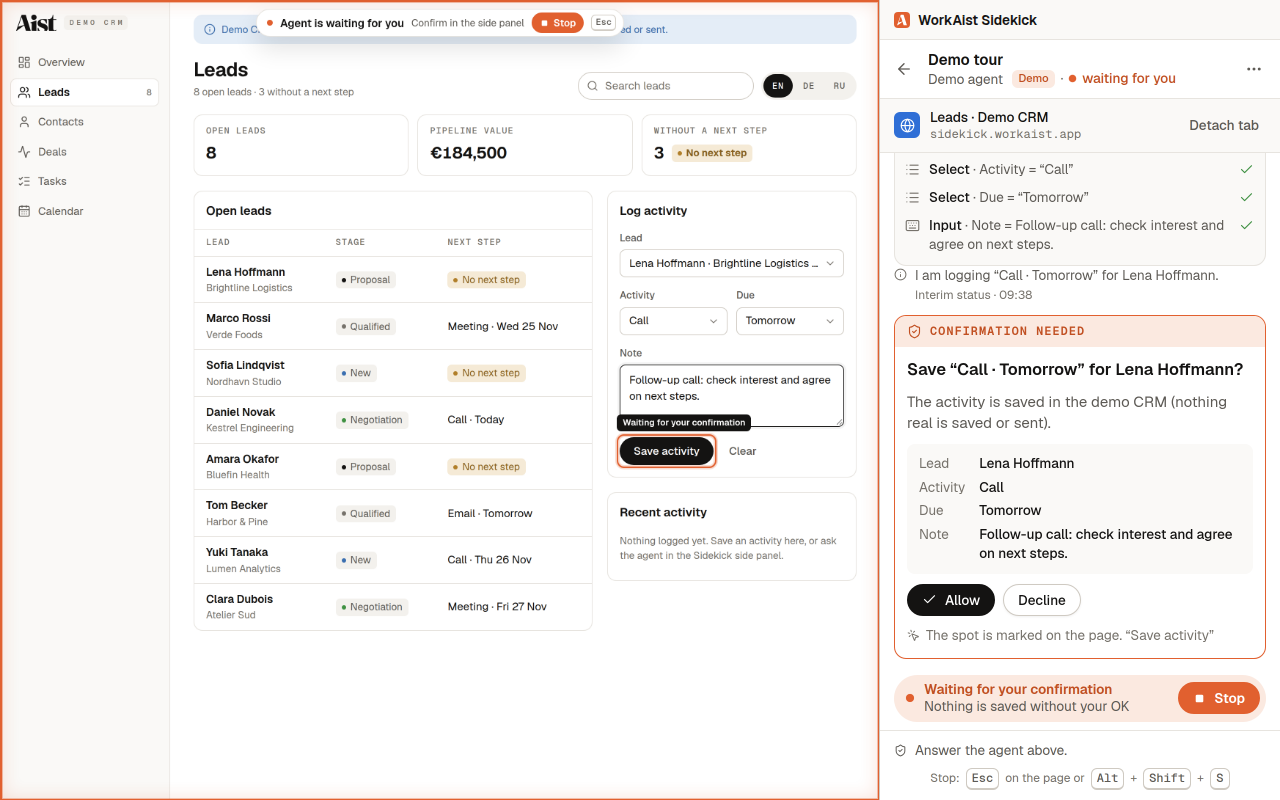
Dialogs in the side panel
Talk to your company’s WorkAist agents right next to the page you work on — several dialogs at once, each with its own task.
One tab, allowed sites only
An agent sees only the one tab you give it, and only on sites you allowed. Nothing else in your browser.
You approve every irreversible step
Before it saves, sends, books or pays, the agent asks you — and shows exactly what will happen.
Stop at any moment
Stop in the panel, Esc on the page or Alt+Shift+S. Use the page yourself and the agent pauses.
Need a connection code? Ask your company’s WorkAist administrator or create an account at workaist.com.